Changelog
What's new in Lobbies
Every release, newest first. Lobbies is built in the open by one person — if something here is broken, tell me.
1.5.5
A game's page leads with its own artwork, and platforms you can read at a glance.
- ImprovedA game's page now opens with the game's own artwork behind the title, running the full width and all the way to the top of the screen. It used to be the cover art blurred almost to nothing, which at that strength was a dark panel rather than a picture.
- ImprovedPlatforms are tags with their own colour and mark — Xbox green, PlayStation blue, Nintendo red — instead of grey capsules reading “PC (Microsoft Windows)”. They sit above the genres, because where you can play something is the first thing you want to know, and they wrap over as many lines as they need rather than being cut off at four.
- ImprovedA profile’s Posts, Lists, Reviews and Library tabs sit lower, clear of Now Playing above them, so they read as the start of a new section rather than the end of that one.
1.5.4
News you can narrow to one game, and a hand-picked row on Explore.
- NewNews from the games you follow can be narrowed to one of them. Follow twenty-eight games and the feed is one long run of everything at once — there was no way to ask what a single game had been up to. Tap a game's chip above the list and it's just that game; tap it again for all of them.
- NewExplore opens with a Featured row — a few games picked by hand rather than by a popularity score. One game gets a full-width banner, two sit side by side, and three or more scroll like the rows beneath them.
- ImprovedThe followed-news feed goes deeper than it did, so narrowing to one game leaves you with more than the odd story it happened to contribute to a shallow merge.
- ImprovedFollow sits above the scores on a game's page rather than below them. It's the thing to do on that page; the numbers are reference.
- FixedThe Pin to Widget button had its two states the wrong way round — the finished one was filled green and the invitation was a quiet outline. They've swapped, so it reads like the Follow button above it.
1.5.3
Sharper share images, and a search that admits what it hasn't got.
- ImprovedShare images are sharper. They render at twice the size now, and the cover art on them was being stretched from a thumbnail — it isn't any more.
- ImprovedThe game share card was rebuilt. The title runs across the top where it has room to be read rather than squeezed beside the cover, the developer and the countdown line up with the artwork, and a game that's already out shows what it's about instead of leaving a gap where a countdown would be.
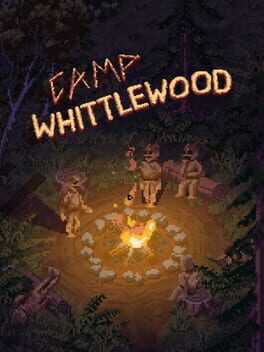
- ImprovedSearch tells you when a game isn't in our catalogue. Looking up something released in the last week or two could turn up a similar-sounding game with nothing to say yours wasn't found — searching “Camp Whittlewood” offered “Littlewood”. If the game is real, search now says we don't have it yet instead of quietly handing you something else.
1.5.2
Now Playing looks after itself, and sharing got a screen of its own.
- NewConnect Steam and a game you've been playing turns up on Now Playing by itself, then drops off after ten days without a session. Now Playing is its own shelf rather than a status, so a game can sit in your Backlog and on Now Playing at the same time — it shows under both.
- NewDon't want a game on Now Playing? Hide from Now Playing takes it off and it stays off, however often you play it, until you put it back yourself. It keeps whatever shelf it was already on.
- NewEvery share button now opens the same screen: a card made for the thing you're sharing, ready to post or save to Photos, and a Copy link button for when you just want to paste it into a chat. Profiles and lobby threads have their own cards now, and a link you copy previews as the same picture you could have saved.
- ImprovedNews loads faster and carries more of the web. The app reads one cached feed instead of fetching seven sites itself, and no single site can crowd the others out of the list.
- FixedCountdowns and the widget were a day early. A release date is a day on a calendar, not a moment in time, and treating it as a moment meant the widget sometimes said a game was out while Steam still had hours to go.
- FixedOn the website, picking a shelf for a game already in your library quietly did nothing. It moves the game now, and it won't wipe a rating you'd left.
1.5.1
A welcome that starts a countdown instead of a form.
- NewNew accounts now start by picking the games they're waiting for from a wall of cover art, watch the first countdown start, and put it on the Home Screen — instead of working through setup steps. Connecting Steam is still there, at the end, optional.
- ImprovedThe intro before you sign up leads with what Lobbies is actually for: countdowns and the widget, news for the games you follow, and the release calendar.
- ImprovedCover art is sharper wherever it's shown large. Game pages and the iPad banner were stretching a smaller image.
- FixedThe list share screen now shows a Share button on each image. Tapping the artwork was the only way to share it, and nothing said so.
- NewLobbies now counts a short list of things — opening the app, signing up, following a game, publishing a list, looking at a game — so we can tell which parts are worth building on. It runs on our own database rather than a third-party tracker: no IP addresses, no device fingerprints, no advertising, and never anything you typed, including what you searched for. Records are deleted after 180 days. The privacy policy lists all of it.
1.5
Lobbies on iPad, rebuilt as an iPad app — plus VGC news and an Owned shelf.
- NewiPad gets a sidebar: the five tabs plus News, Releases, Reviews and People, and your own countdowns, friends and messages.
- NewA rail down the side of the page on iPad, counting down to the games you follow and showing what's hot on Lobbies.
- NewVGC (Video Games Chronicle) is now a news source, in All News and in the news from games you follow.
- NewIn the app, mark a game as Owned: it's in your library, but you're not playing it right now. It's where the Steam import already puts most of your games, and now you can move them in and out yourself.
- ImprovedGame pages on iPad are two columns: the game and what people are saying on the left, follow, scores, activity and similar games on the right, under a banner of the game's own art.
- ImprovedExplore on iPad opens with Hot on Lobbies and Hyped on IGDB as ranked lists side by side, instead of four rows of covers.
- ImprovedFeeds on iPad sit in a readable column that grows with the screen, rather than stretching a post across the whole iPad.
- FixedGrids of games on iPad showed four enormous covers per row. They now fit six, or eight in landscape.
- FixedPicking one of several saved list drafts could open a different draft, or none at all. You now get the one you tapped.
- FixedHeadlines in the app no longer lose their curly quotes, apostrophes, and dashes.
- FixedNews is English-only. Steam mixes other sites into a game's news, and posts from Russian outlets were showing up in Following and on game pages.
1.4.1
Following, now on the website — and instant everywhere.
- NewFollow games on the website too, with a Following page that gathers their news into one feed. It's the same list as the app.
- NewTap a game on the release countdown widget to jump straight to its page.
- NewShare a game from its page on the website, with a square or story-sized card to post or download. Games that haven't released yet show a countdown to launch day, on the card and in link previews.
- NewOn the website, mark a game as Owned: it's in your library, but you're not playing it right now. It's where the Steam import already puts most of your games, and now you can move them in and out yourself.
- ImprovedGame pages on the website have a tidier set of buttons: Follow leads, with Add and Review beside it and smaller buttons for adding to a list, sharing, and Steam.
- ImprovedChoose your countdown widget's games in one place: pick up to six from a single list, sorted by release date, instead of setting them one slot at a time.
- ImprovedFollowing a game takes effect the moment you tap, with a confirmation, instead of making you wait.
- ImprovedThe Following tab is split into Games and Threads. Threads shows what's popular across every game this week, or just threads in games you follow and ones you've joined.
- FixedUnfollowing from a game's page could do nothing if you hadn't opened the Following tab first.
- FixedUnfollowing from your list of followed games no longer takes several seconds to go through.
- FixedThe Pinned screen drops a game as soon as you unpin or unfollow it, instead of after you leave and come back.
- FixedFollowing a game on the website no longer fails for games you'd already followed in the app.
- FixedUnfollowing a game on the website now takes it off your countdown widget on your phone, instead of it reappearing there.
- FixedGame pages no longer flicker and rebuild themselves while the release countdown is on screen.
- FixedSearch finds games whose names include words like "point" again — Two Point Museum and Two Point Hospital came back with no results.
1.4
Follow the games you care about, and a real way to manage your library.
- NewFollow a game to get its news and lobby threads — and if it hasn't released yet, it joins your countdown widget automatically.
- NewA Following tab with one news feed for every game you follow.
- NewManage your library properly: move games between shelves, select several at once, and remove them.
- ImprovedGame covers show four across, and grids now use the full width in landscape and on iPad.
- ImprovedNews and store links open inside the app instead of throwing you out to Safari.
- FixedEvery pinned game now appears when setting up a widget — the picker used to stop at fifteen. It's searchable too.
- FixedA brand-new thread now sorts to the top of Lobbies instead of below every thread that already had replies.
- FixedYouTube videos no longer show as black boxes when you come back to the app.
- FixedMoving a game between shelves animates instead of making the list jump.
- FixedNews now finds games the press writes about under another name — follow Grand Theft Auto VI and you'll get the GTA 6 headlines too.
- ImprovedThe Following tab suggests games to follow when you haven't picked any yet, and you can follow them right there.
- FixedPulling to refresh the Following tab returns you to the top instead of leaving the list parked mid-scroll.
- FixedA game page no longer shows “Follow” on and “Pin to widget” off at the same time — following pins the game, and unpinning one you still follow now sticks.
1.3
Messages, mentions, and a lot more of what the community is doing on game pages.
- NewDirect messages. One-to-one, with mute, delete, and a requests inbox for people you don't follow yet.
- New@mention someone in a post and they'll get a notification.
- NewPush notifications when someone you follow publishes a list or review. Posts are opt-in.
- NewLobbies Activity on game pages — who's playing, finishing, wishlisting, and which lists a game appears in.
- NewExport a list as an Instagram carousel: a title card plus one frame per game, saved straight to Photos.
- NewOpen any game on Steam from its page.
- NewDelete your own posts and comments.
- ImprovedGame pages load faster and the app shell does less work on every screen.
- FixedComment and like counts no longer go stale after you leave a screen and come back.
- FixedGame detail pages could be dragged sideways a few pixels. They can't now.
- FixedSearching for a game with a year in its name works again.
- FixedThe notification badge no longer counts things the inbox doesn't show.